How to use Command Line Parameters?
Active@ KillDisk can be controlled entirely from the command line, allowing you to launch an erasure operation with a specific drive, erase method, and output options instead of navigating the graphical interface. Command-line parameters are typically used inside startup scripts or batch files, but can also be used to launch KillDisk manually with predefined settings.
To use command-line parameters with your bootable media, enter them in the Application Startup tab in Boot Disk Creator when creating the bootable device. These parameters will then be applied automatically whenever KillDisk launches from that device.
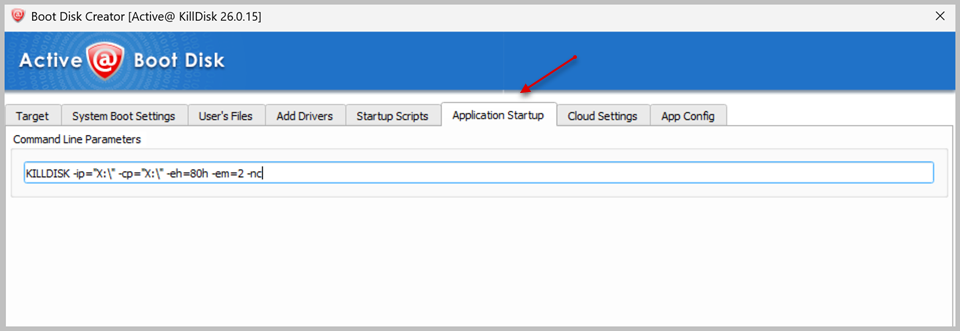
A basic command specifies the input/output paths, the target drive, and the erase method, for example:
KILLDISK -ip="X:\" -cp="X:\" -eh=80h -em=2 -ncParameters can be combined as needed — for instance, -ea erases all drives, -xr excludes removable drives from that operation, and -ci includes a unique Computer ID in the resulting certificate. The exact set of parameters you need depends on your use case: erasing a single specified drive, erasing everything except the boot media, or running fully unattended from a startup script.
For more information about Command Line and Batch Mode please refer to our User Guide.