Can I automatically map a network drive when booting up into Active@ Boot Disk for Windows?
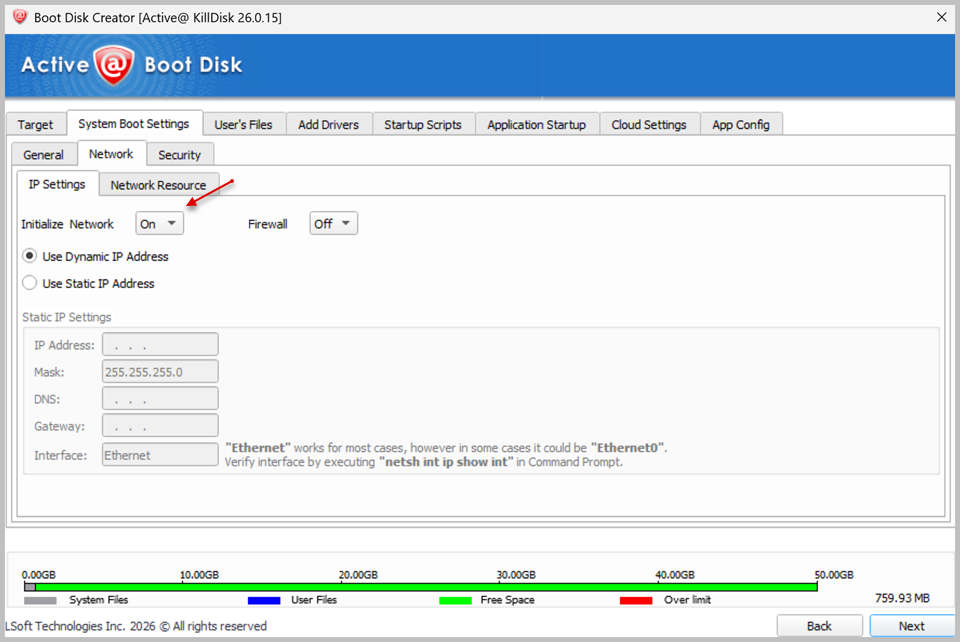
To map a network drive automatically at boot, you need to configure the network sections in Boot Disk Creator before creating your bootable media:
-
Initialize Network.
-
Check the Map Network Resource checkbox.
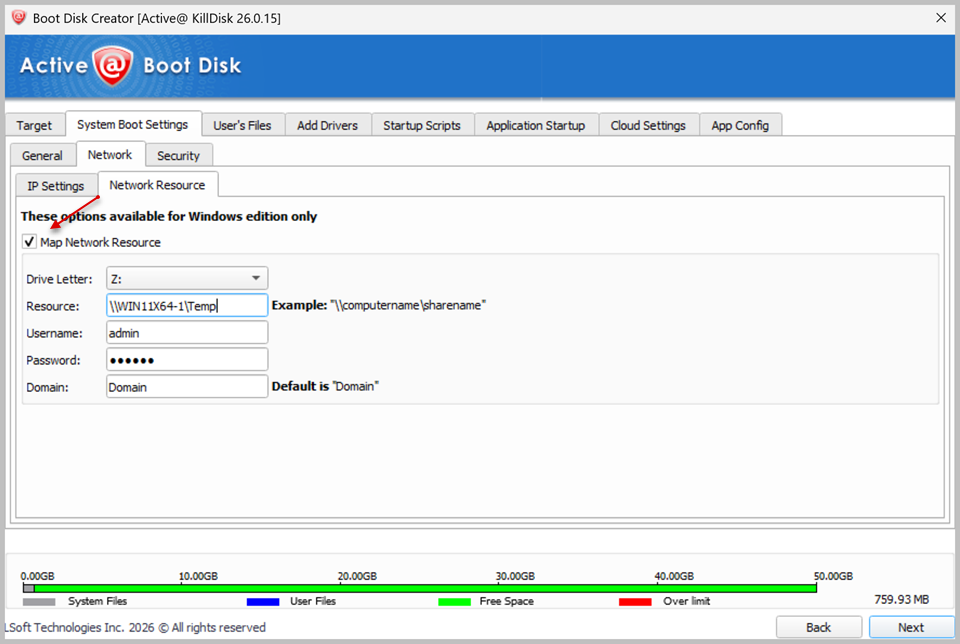
Once these steps are completed, the mapped network drive will connect automatically as soon as the computer boots into Active@ Boot Disk — no manual mapping is required at boot time.
Note:
Network drive mapping is available only for Windows-based Boot Disk media.